Signal Chat Leak: Urgent Troubleshooting and Fix Guide
Learn how to diagnose and stop a signal chat leak with a systematic, urgent troubleshooting plan. We cover quick checks, diagnostic flow, step-by-step fixes, safety tips, and when to seek professional help from Leak Diagnosis.


Signal chat leak is most often caused by a misconfigured privacy setting or a compromised device rather than a flaw in Signal itself. Quick checks: verify device security (passcodes, biometric lock), review app permissions and third‑party integrations, and update Signal and your OS. The Leak Diagnosis team recommends treating any unexpected exposure as urgent.
What signal chat leak means in real life
In the digital world, a signal chat leak means unauthorized exposure of messages, contact details, or metadata from the Signal app. Signal is designed with end‑to‑end encryption to protect message content in transit, but leaks can still occur when devices are compromised, backups are not protected, or privacy settings are misconfigured. For homeowners and DIY troubleshooters, the practical risk is not “cracking the encryption” but losing control over who can access your messages on your own devices. The Leak Diagnosis team notes that most reported leaks stem from weak device security, reused passwords, or lax app permissions rather than a failure in Signal’s core technology. Recognizing this distinction helps you target fixes promptly, reduce stress, and avoid unnecessary alarm. If you notice unexpected message exposure, treat it as urgent and start with the simplest checks before moving to deeper, more invasive steps.
Immediate checks you can do today
Start with the easiest wins: secure the actual device first, then review app settings. Ensure your phone or tablet has a strong screen lock (PIN, pattern, or biometric) and that it auto‑locks after a short period. Update Signal to the latest version and apply any available OS security patches. Review active sessions and connected devices within Signal; revoke any you don’t recognize. Audit app permissions and integrations—especially any tools that read notifications or access storage. If you use cloud backups for Signal, verify they are encrypted and not stored in plain text. Finally, scan for signs of account compromise such as unfamiliar devices, unexpected password changes, or messages that don’t match your usual activity. Taking these checks now dramatically lowers the chance of further exposure and buys time for deeper diagnostics.
Diagnostic-flow: symptom → diagnosis → solutions
A practical approach starts with the symptom: you observe exposure of chat content or metadata outside your expected channels. Diagnosis typically points to one of three causes: (high likelihood) weak device security or shared devices; (medium likelihood) misconfigured Signal backup or permissions; (low likelihood) a compromised account or sophisticated malware. Solutions range from quick changes (tightening device security, revoking visits) to more involved steps (reinstalling apps, resetting backups, or wiping a device). This flow mirrors what the Leak Diagnosis team recommends: isolate the source, verify the scope, and implement layered fixes rather than a single band‑aid. As you work through the flow, document each change and recheck the exposure in a controlled test to confirm the leak is contained.
Step-by-step fixes for the most common cause
Step 1: Strengthen device security. Enable a strong screen lock, require re‑authentication for sensitive apps, and disable quick unlock features if available. Step 2: Secure Signal settings. Review account access, remove unfamiliar sessions, and enable any available privacy protections. Step 3: Audit third‑party integrations. Revoke access for services you don’t recognize. Step 4: Verify backups. Ensure backups are encrypted or disabled if you don’t need them. Step 5: Reinstall if needed. If the exposure persists after these steps, back up essential data and reinstall Signal or perform a factory reset on the device as a last resort. Step 6: Observe after fixes. Monitor for unexpected messages or new login alerts for several days. Tip: Always back up data before major changes.
Safety, privacy, and prevention tips
- Do not share verification codes or grant screen‑sharing access to untrusted apps. - Maintain strong, unique passwords and enable two‑factor authentication on related accounts where supported. - Regularly review device permissions and installed apps, especially any that can access messages or notifications. - Keep devices and apps up to date with security patches to close known weaknesses. These habits reduce the odds of future signal chat leak exposures.
When to seek professional help
If you continue to see exposure after completing the above steps, or you suspect malware, professional help is warranted. Contact Signal support and a local cybersecurity professional to perform a device health check, malware scan, and a privacy audit. Do not delay action, especially if you rely on Signal for sensitive communications. Early professional review helps prevent data loss and potential reputational harm.
How to verify leaks and monitor privacy after fixes
Set up a short, controlled test: send several messages, monitor your own devices for unexpected activity, and verify that backups and cloud storage are not leaking data. Use independent devices for testing where possible. Review the logs for any abnormal sign‑ins or sessions and confirm that only trusted devices can view past messages. From a privacy‑minded standpoint, maintain a habit of reviewing permissions quarterly.
Key prevention habits for long-term privacy
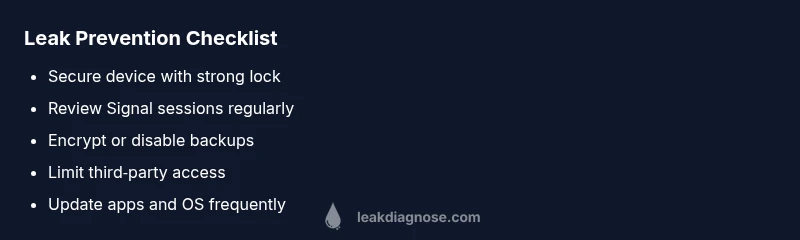
- Lock devices and accounts with strong credentials and periodic password changes
- Limit third‑party access and revoke unused permissions
- Keep software up to date and enable automatic updates
- Regularly audit backups and ensure they are encrypted
- Practice cautious sharing and be mindful of where you log in
Steps
Estimated time: 30-45 minutes
- 1
Secure the device
Enable a strong screen lock and disable any quick unlock features. Ensure the device auto‑locks after a short period and that a biometric or PIN is required to access apps like Signal.
Tip: Set a timed auto‑lock of 30 seconds or less. - 2
Audit Signal sessions
Open Signal and navigate to the account or connected devices section. Sign out of unfamiliar sessions and remove devices you do not recognize.
Tip: If you see a device you can't identify, treat it as a potential breach. - 3
Check permissions & integrations
Review all apps with access to Signal data or notifications. Revoke access for any that feel risky or unnecessary.
Tip: Limit notification access to trusted apps only. - 4
Verify backups
Confirm backups are encrypted or disable cloud backups temporarily while you investigate. If backups are needed, ensure encryption is enabled.
Tip: Backups should never be stored unencrypted. - 5
Reinstall or reset if needed
If exposure continues, back up essential data and reinstall Signal or perform a factory reset on the device as a last resort.
Tip: Only reset after exporting critical data securely.
Diagnosis: User reports exposure of Signal messages or metadata outside expected channels
Possible Causes
- highWeak device security or shared devices
- mediumMisconfigured backups or permissions in Signal
- lowCompromised account or malware on the device
Fixes
- easyTighten device security: enable strong screen lock, auto‑lock, and disable quick unlock
- easyReview and revoke unfamiliar Signal sessions and adjust privacy settings
- easyAudit third‑party integrations and app permissions tied to Signal
- mediumCheck backups: encrypt or disable if not needed
- hardReinstall Signal or perform a device reset if exposure persists
Questions & Answers
What qualifies as a signal chat leak?
A signal chat leak refers to unauthorized exposure of messages or metadata from the Signal app, often due to device compromise or misconfigured settings rather than a flaw in Signal’s core encryption.
A signal chat leak happens when your messages or metadata become accessible to someone who isn't supposed to see them, usually from your device or settings rather than Signal’s encryption.
Is my Signal data safe if I see a leak?
Signal encrypts message content end-to-end, but leaks indicate an issue on the device or account level. Correcting device security and permissions typically mitigates risk quickly.
Signal itself is encrypted, but leaks usually come from your device or settings. Fix those first to restore safety.
What is the first step I should take if I suspect a leak?
Immediately secure your device, update software, review Signal sessions, and revoke suspicious permissions or sessions before delving into deeper diagnostics.
First, lock your device, check Signal sessions, and revoke any unfamiliar access before you dive deeper.
Should I reinstall Signal if leaks persist?
If exposure persists after quick fixes, consider reinstalling Signal and performing a thorough privacy audit. This is a strong step but may require re-linking devices.
If fixes fail, a reinstall and privacy audit can help, though you may need to re-link devices afterward.
How can I prevent future leaks?
Adopt strong device security, limit third‑party access, keep software updated, and regularly review backups and permissions to minimize future leaks.
Use strong security, limit access for apps, and keep everything updated to prevent future leaks.
Watch Video
Main Points
- Identify the simplest exposure sources first
- Keep Signal and OS up to date
- Audit device security and connected apps regularly
- Encrypt backups or disable unencrypted backups
- Escalate to professionals when exposure persists