Group Chat Leak Troubleshooting Guide
Urgent guide to diagnose and stop group chat leak risks. Learn common causes, step-by-step fixes, and practical privacy tips for safer group chats.


Most often, a group chat leak stems from lax privacy settings or a member forwarding messages outside the app. Quick fix: review group permissions, remove unknown participants, enable end-to-end encryption if available, and remind members about privacy norms. If the leak continues, rotate invite links and audit devices connected to the chat.
What is a group chat leak and why it happens
A group chat leak occurs when content or access to a chat spreads beyond the intended participants. This can include direct forwarding of messages, screenshots shared outside the app, or invite links surfacing in the wrong hands. Leaks can be accidental or the result of weak privacy controls, misleading assurances, or device compromise. The term group chat leak emphasizes that it is the leakage of information from a collective conversation, not a single misstep. According to Leak Diagnosis, privacy misconfigurations and loose access controls are among the most common triggers in both home and work contexts. In practice, leaks are usually a pattern rather than a one-off event: who can join, who can view history, and how content is shared after joining. Recognizing these patterns is the first line of defense, followed by practical changes that tighten control without sacrificing collaboration. By understanding the mechanics behind leaks, you can rapidly reduce risk and protect sensitive information.
Common privacy pitfalls in group chats
Anyone managing a group chat should recognize typical blind spots that lead to leaks. Common issues include inviting external guests, sharing broad invite links, and granting broad permissions that let anyone see history or export content. Forwarding messages without redaction or context is another frequent mistake, especially in busy workgroups. Screenshots and screen sharing on personal devices further fragment privacy, while third-party integrations may inadvertently sync data beyond the app. Finally, poor device hygiene—logged-in devices left unattended or stolen devices—can expose chats to unauthorized users. The most dangerous gaps often appear in long-running groups where membership changes over time; new participants inherit access to past messages, increasing exposure. A proactive audit focused on who can join, who can view history, and what content can be shared is essential for narrowing risk. As you audit, align settings with the least-privilege principle and keep the chat description updated with privacy expectations. This disciplined approach reduces the chance of hidden leaks and protects everyone in the group.
Quick privacy fixes you can implement today
These fast wins dramatically reduce exposure and help prevent future leaks. Start by reviewing the current member list and removing anyone who shouldn’t be there. If your platform supports, disable broad link sharing or set links to expire quickly, then rotate them. Enable any available privacy options like end-to-end encryption or restricted history viewing and require approval for new members. Enforce role-based permissions so only trusted members can invite or export content. For sensitive conversations, enable auto-deletion after a set period and pin a privacy etiquette note in the group description. Even with strong tools, user behavior is the main driver of leaks, so pair technical controls with clear community norms. If your app lacks these options, consider migrating to a platform with stronger defaults. A combined approach of configuration and culture is the most reliable guard against leaks.
Diagnostic flow: symptom → diagnosis → solution
When you suspect a leak, start with a simple symptom: content appearing in places the group did not authorize, or invite links circulating beyond intended participants. From there, assemble potential causes: misconfigured permissions, expired sessions, unauthorized access via old devices, or connected third-party apps. The likely diagnosis often points to an access-control gap or a history-sharing misstep. Solutions focus on tightening controls, revoking old sessions, and validating connected devices and apps. Finally, verify changes by testing access with current members only and confirming that content cannot be forwarded without consent. If problems persist, escalate to platform privacy support and re-audit devices and integrations. This diagnostic mindset helps you isolate the leak rapidly and apply precise remedies.
Step-by-step: tighten controls and shield future leaks
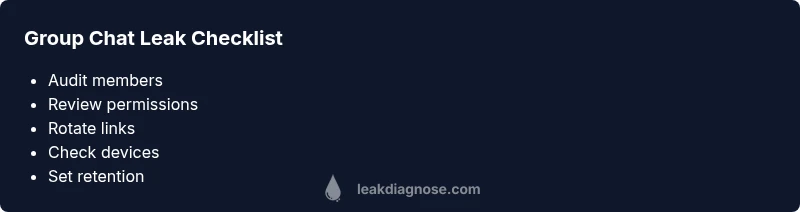
- Audit current members: List everyone with access in the last 90 days, verify roles, and remove anyone who shouldn’t be there. Tip: schedule quarterly reviews to keep access tight. 2) Review permissions: Disable broad history sharing where possible and set clear retention thresholds so older messages aren’t exposed. Tip: document the exact settings you enable. 3) Rotate invite links: Reissue new links, revoke old tokens, set expiry times, and require approval for new members. Tip: limit the time window a link is valid. 4) Check connected devices: Review active sessions on devices; sign out from unfamiliar devices. Tip: revoke access if a device is lost or stolen. 5) Enforce data minimization: Minimize stored data and enable auto-deletion for sensitive chats where supported. Tip: implement a simple retention policy. 6) Post-leak playbook: Document steps, notify stakeholders, and review the incident to improve. Tip: update the playbook after each event. EstimatedTime: 40-60 minutes
Steps
Estimated time: 40-60 minutes
- 1
Audit current members
Compile a list of all current and recent members, verify their roles, and remove anyone who shouldn’t have access. Document the reason for each change and communicate the update to the group.
Tip: Schedule quarterly audits to maintain access control. - 2
Review permissions
Inspect history viewing, export rights, and who can add new members. Disable unnecessary sharing and set explicit retention rules for messages.
Tip: Create a written policy for history visibility that everyone can reference. - 3
Rotate invite links
Issue new invite links, revoke old tokens, and implement expiry. Require admin approval for new members to prevent unauthorized access.
Tip: Limit the validity window of a link to reduce exposure. - 4
Check connected devices
Review active sessions across devices, log out unfamiliar devices, and revoke access for lost or stolen hardware.
Tip: If a device is compromised, reset account credentials immediately. - 5
Enforce retention and minimization
Limit data storage and enable auto-deletion for sensitive chats where available. Keep only what is necessary and for a defined period.
Tip: Document the retention policy and enforce it consistently. - 6
Post-leak playbook
Record steps taken, notify stakeholders, and update the prevention plan to stop recurrence. Review the incident to extract lessons learned.
Tip: Use the incident as a training example for the group.
Diagnosis: Group chat content appears outside the intended participants or invite links circulate beyond the group
Possible Causes
- highMisconfigured permissions or history settings
- mediumUnauthorized access from old devices or sessions
- lowThird-party integrations connected to the chat
Fixes
- easyTighten member permissions and revoke unused sessions
- easyRotate invite links and set expiry; require approval for new members
- mediumReview and disconnect suspicious third-party apps
Questions & Answers
What exactly is a group chat leak?
A group chat leak is the unauthorised spread of chat content or access. This can involve forwarding messages, sharing screenshots, or exposing invite links to non-members. It often results from weak privacy controls rather than a single error.
A group chat leak is when chat content escapes the group. It usually happens because of weak privacy settings or someone sharing content outside the chat.
How can I tell if my group chat has been leaked?
Look for unexpected recipients, sudden exposure of historic messages, new members without notifications, or invite links appearing outside the group. Audit device activity and connected apps to identify sources of leakage.
If messages appear in places they shouldn’t or invite links surface publicly, start an audit of members and devices.
What is the first thing I should do immediately?
Immediately revoke unknown access, rotate invite links, and review who can view history. Notify group members about the leak and remind them of privacy guidelines. Then proceed with a formal audit.
revoke access, rotate links, and remind everyone about privacy guidelines. Then audit thoroughly.
Does encryption protect against leaks?
End-to-end encryption helps protect message content in transit, but it does not prevent leaks from occurring through forwarded content or compromised devices. Strong privacy controls are still essential.
Encryption helps keep messages private in transit, but leaks can still happen from forwarding or compromised devices.
Can leaked information be recovered or erased later?
Once content is leaked or copied to another platform, it cannot be fully erased from external sources. Focus on containment, removing access, and minimizing future risk with retention controls.
You can minimize further leakage and revoke access, but you can’t erase information already shared elsewhere.
When should I contact privacy professionals?
If leaks involve sensitive data, regulated information, or repeated incidents, consider consulting privacy experts. They can help design robust controls and run a formal incident response.
If the leak involves sensitive data or recurs, reach out to privacy experts for guidance.
Watch Video
Main Points
- Tighten permissions and member access now
- Rotate invite links and audit devices
- Set clear retention rules for chat history
- Create a post-leak playbook and train the group