Signal Leak Troubleshooting Guide
Urgent guide to diagnose and fix signal leak in home devices. Learn safe checks, a diagnostic flow, step-by-step fixes, and prevention tips to reduce interference and protect equipment in 2026.


Signal leak is most often caused by poorly shielded cables or nearby RF sources. Start by isolating devices, testing with shielded cables, and moving potential sources away from sensitive equipment. If the interference persists, replace damaged cables and re-ground equipment where possible. For persistent issues, consider a licensed electrician or RF technician to diagnose shielding and grounding, especially around mains outlets and high-frequency gear.
What is a signal leak and why it matters
A signal leak is the unintended escape of an electronic or RF signal from a device, cable, or connector. In homes, this can show up as audio buzzing, TV pixelation, Internet dropouts near specific gear, or unexpected interference on radios or smart speakers. Left unchecked, a signal leak can degrade performance, reduce safety margins around high-frequency devices, and create chaos for neighbors sharing the same spectrum. For homeowners, recognizing a signal leak early helps protect appliances, preserve data integrity, and reduce energy waste from overloaded circuits. According to Leak Diagnosis, signal leaks are most common where shielding wears thin: aging coaxial cabling, under-protected USB-C/HDMI cables, or outlets that aren’t grounded properly. Use the exact term signal leak when searching for fixes so you can compare guidance across sources. The goal is to isolate the source, minimize exposure, and restore clean, contained signals throughout your living space.
Common sources of signal leaks in household systems
- Deteriorated shielding on cables and connectors (HDMI, USB-C, coax) that lets high-frequency energy escape.
- Cables running alongside power lines or metal surfaces, which creates a loop that broadcasts unwanted signals.
- Wireless devices operating on overlapping bands (2.4 GHz and 5 GHz) near sensitive equipment without proper separation.
- Damaged gaskets or enclosures around electrical or data panels that allow leakage paths.
- Grounding or bonding issues that create a potential difference and promote signal leakage through chassis or shielding.
Understanding these sources helps you target the most likely culprits first and avoid unnecessary replacements. In practice, the strongest leaks usually come from aging coax or unshielded adapters that connect to a TV, amp, or router. Always replace with certified shielded variants and ensure connectors seat fully.
Symptoms you might notice
- Sudden drop in Wi‑Fi performance when moving near a particular cable or device.
- Audio buzz, hiss, or flutter on speakers and amplifiers.
- Visual static or color artifacts on displays once you approach certain outlets or cables.
- A warm or mildly hot component near shielded cables, indicating excess current flow from leakage.
- Unexplained interference with radios, walkie-talkies, or smart home sensors.
Document when and where symptoms occur, note the devices involved, and take photos of cables, connectors, and outlets. This data helps you build a precise map of where the signal leak originates and reduces wasted time in trial-and-error fixes.
Diagnostic flow: symptom → diagnosis → fix
- Start with the easiest checks: unplug non-essential devices and switch to shielded cables to see if the symptom subsides.
- If symptoms persist, isolate by disconnecting sections of the setup and retest after each change.
- Swap suspected cables and connectors one at a time with shielded equivalents, re‑test for changes.
- If interference remains near a panel or outlet, inspect grounding and bonding, and measure with a basic RF tester if available.
- When all simple fixes fail, escalate to a professional for a formal RF shielding and grounding evaluation.
This flow helps you identify whether the leak is localized to a single cable, a grounding issue, or a broader RF environment problem.
Practical checks you can perform today
- Inspect shielding on HDMI/USB-C and coax cables; replace worn variants with shielded, high-quality cables.
- Reorganize cables so data lines run away from power cords and metal enclosures; avoid tight bundles that can promote leakage paths.
- Add ferrite cores to long or high-frequency cables near devices that show symptoms; few ferrites can make a big difference.
- Verify outlets and devices are properly grounded; use a ground tester if you have one, and ensure grounding conductors are intact.
- Test devices one by one by removing them from the setup and observing whether the symptom disappears; this pinpoints the culprit.
These checks are safe and actionable for homeowners and DIY enthusiasts, and they lay the groundwork for a more comprehensive diagnosis if needed.
Safety notes and when to call a professional
- Do not work on live electrical panels or exposed mains wiring. Always power down and unplug devices before inspection.
- If you notice burning smells, warmth around outlets, or crackling sounds, stop, evacuate if necessary, and call a licensed electrician immediately.
- RF shielding work and grounding corrections can affect overall electrical safety; involve a qualified tech if you are unsure about measurements or results.
- Keep a log of symptoms and fixes; this helps professionals diagnose faster and reduces repeated testing.
Prevention and maintenance to minimize signal leaks long-term
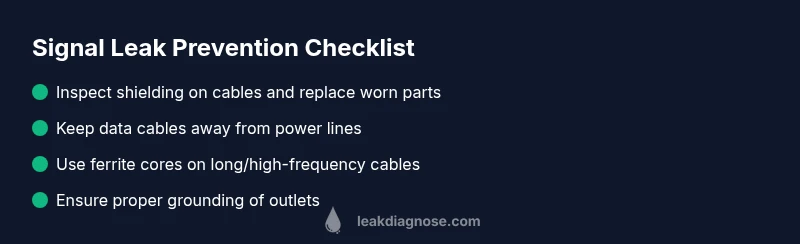
- Use shielded cables for all critical signal paths (HDMI, USB-C, coax, audio interconnects) and replace damaged ones promptly.
- Keep data cables away from power lines; use separate cable routes, and avoid long parallel runs that encourage interference.
- Regularly test grounding and bonding in your home’s circuits; ensure receptacles and panels are up-to-date with local electrical codes.
- Invest in a basic RF tester or consult a pro for periodic checks near devices that generate or are sensitive to RF energy.
- When upgrading equipment, prioritize shielded, properly rated options and check for any known shielding issues in reviews or product notices.
Quick tests you can run with common tools
- Use a basic RF signal tester to scan for anomalous energy around suspected cables.
- Swap one suspect cable at a time and monitor whether performance improves.
- Test each device in isolation to see if it contributes to leakage or interference.
Real-world examples and troubleshooting notes
In homes where signal leak was detected, owners found that upgrading a single HDMI cable resolved a cascade of issues across a home theater and streaming setup. In other cases, re-routing a power strip away from AV racks eliminated buzzing in speakers. While results vary, the systematic approach outlined here often yields fast wins without costly testing equipment.
Steps
Estimated time: 30-60 minutes
- 1
Identify the symptom source
Start by observing which device or location consistently triggers the symptom. Note the exact circumstances and equipment involved to narrow the scope.
Tip: Record time, device, and activity to spot patterns. - 2
Power down and inspect basics
Unplug devices in the suspected chain and examine cables for visible wear, kinks, or loose connectors. Replace any damaged parts before retesting.
Tip: Always unplug before touching cables. - 3
Swap to shielded components
Replace suspect cables with shielded equivalents and ensure connectors seat fully. Retest to see if the symptom lessens.
Tip: Keep spare shielded cables on hand for quick swaps. - 4
Isolate and re-route
Move data cables away from power cords and metal surfaces. Avoid tight bundles that can create coupling between lines.
Tip: A simple re-routing can solve many leaks. - 5
Add ferrite cores where needed
Clamp ferrite cores on long or high-frequency cables near the device, especially where leakage was observed.
Tip: Ferrites are inexpensive and often effective. - 6
Verify grounding and bonding
Check that outlets and equipment are properly grounded. Use a grounding tester if available and correct any discrepancies.
Tip: Faulty grounding is a common source of leakage. - 7
Re-test and document
With changes in place, run the same test conditions and compare results. Document outcomes to help future troubleshooting.
Tip: Documentation speeds up future repairs.
Diagnosis: Intermittent interference or device malfunctions attributed to signal leak
Possible Causes
- highPoor shielding on cables or connectors
- mediumGrounding issues or stray currents
- lowNearby RF sources or cross-talk from adjacent devices
- mediumDamaged enclosure or protective shield
Fixes
- easyReplace with shielded, properly rated cables and connectors
- easyRe-route cables away from power lines and other RF sources
- easyAdd ferrite cores to suspect cables and check grounding at outlets
- hardIf issues persist, have a licensed electrician inspect grounding and shielding at the panel
Questions & Answers
What is a signal leak?
A signal leak is the unintended escape of a signal from a device or cable, which can cause interference with nearby electronics. It often stems from worn shielding, poor grounding, or proximity to strong RF sources. Identifying and mitigating the leak involves isolating the source and improving shielding.
A signal leak is when a signal escapes from a device, causing interference. Isolate the source and improve shielding to fix it.
How is signal leak different from RF interference?
RF interference is a broad category of disruption in radio frequencies. A signal leak is a specific path where energy escapes from a device or cable, creating interference in nearby gear. Treat signal leak as a leakage issue that needs containment and shielding.
Signal leak is a specific escape path for energy; RF interference is the broader disruption in radio frequencies.
Can a faulty outlet cause a signal leak?
Yes, a poorly grounded or damaged outlet can create leakage paths and contribute to signal leaks, particularly when paired with unshielded cables. Inspect grounding and replace or repair outlets as needed.
A damaged outlet can contribute to leakage, especially with unshielded cables. Check grounding and replace if needed.
Are there quick fixes for signal leaks?
Yes, for many homes, switching to shielded cables, re-routing cables away from power lines, and adding ferrite cores can reduce or eliminate leaks without specialized tools. If issues persist, seek professional help.
Switch to shielded cables and re-route them. Ferrite cores can help; otherwise, consult a pro.
When should I call a professional?
If grounding seems unsafe, if leaks persist after basic fixes, or if you’re uncertain about measurements, contact a licensed electrician or RF technician. A pro can assess shielding, grounding, and compliance without risking safety.
Call a pro if grounding is unsafe or leaks persist after basic fixes.
Is signal leak a safety concern?
Signal leaks can indicate broader electrical or RF safety issues. While not always immediately dangerous, they can lead to equipment damage or fire risks if left unchecked. Prioritize safety and address leaks promptly.
Yes, it can signal safety issues. Address leaks promptly to avoid damage or risk.
Watch Video
Main Points
- Identify the symptom source early with simple tests
- Prioritize shielded cables and proper grounding
- Isolate components one at a time to find the leak
- Escalate to a professional if grounding or shielding is suspect