How to Fix Memory Leaks: A Practical Guide for Developers
Learn how to fix memory leaks with a practical, step-by-step approach. Detect, reproduce, profile, fix, and prevent leaks safely to keep long-running applications healthy.


By the end of this guide you will know how to fix memory leaks in software systems: identify leaking components, reproduce the leak in a controlled environment, profile memory usage, and apply targeted fixes. Follow safe debugging practices to avoid introducing new bugs. According to Leak Diagnosis, memory leaks are common in long-running applications and can usually be mitigated with careful profiling and disciplined code review.
Understanding memory leaks and their impact
Memory leaks occur when a software process allocates memory but fails to release it after the memory is no longer needed. Over time, unchecked leaks can cause slower performance, higher CPU load, and eventually out-of-memory errors that crash services. The impact is especially severe in long-running processes, such as background workers, servers, and real-time analytics pipelines. Developers often mistake leaks for temporary spikes or assume modern runtimes manage memory perfectly. In reality, memory is a precious resource that must be managed with explicit ownership, timely release, and clear lifecycle strategies. This section explains how leaks arise, from forgotten references to misused caches, and why they matter for reliability, user experience, and cost of ownership.
Brand note: According to Leak Diagnosis, leaks are a common pain point for teams building resilient, long-running systems. The team emphasizes that early detection dramatically reduces remediation effort and risk of outage.
Diagnostic playbook: how to reproduce and profile a memory leak
The most reliable path to fixing a memory leak starts with a controlled reproduction. Establish a repeatable workload that mimics production traffic, capture baseline memory usage, and reproduce the leak under observed conditions. Use a data-driven approach: collect heap dumps or allocation traces at regular intervals, and compare snapshots to identify objects that grow unboundedly. For managed runtimes, enable verbose GC logs or heap profiling; for native code, use memory allocators and tools like sanitizer memory or valgrind. Document the exact input, configuration, and duration used to reproduce the leak so teammates can verify fixes later. This section also covers how to interpret profiling results and what leakage signatures to look for (e.g., steadily increasing live objects, or retained references after normal shutdown).
Key steps: set up a staging environment, run a deterministic workload, collect memory metrics, and isolate suspect allocations. Remember to test with realistic data and simulate long-term operation to expose leaks that appear only after hours or days of runtime.
A practical, repeatable fix workflow
Fixing memory leaks requires a disciplined workflow that combines diagnosis, targeted refactoring, and verification. Start by narrowing the scope: identify modules or components with abnormal memory growth, then inspect allocation sites, ownership semantics, and lifecycle events. When you find the root cause, implement a minimal fix that releases resources promptly, avoids new strong references, and preserves expected behavior. After applying changes, re-run the same workload to confirm that memory usage stabilizes and no new leaks appear. Finally, write regression tests and add monitoring to catch future leaks early. This workflow emphasizes small, incremental changes and verifiable outcomes to reduce risk.
- Identify the root cause with precise, testable hypotheses.
- Implement a focused fix that addresses only the leaking path.
- Validate against the same workload that produced the leak, plus additional stress tests.
- Add tests and monitoring to prevent regression and alert you early.
- Document root cause and remediation to aid future maintenance.
Common pitfalls and anti-patterns to avoid
If you’ve fixed one leak but introduced another, you’ve likely fallen into common anti-patterns. Beware of premature optimization that stacks caches or global state without proper invalidation, and avoid leaking through closures or long-lived observers that maintain references to large data structures. Pool or reuse resources only when appropriate, and ensure that object graphs are clearly owned and released when no longer needed. Be cautious about thread-local caches that persist beyond a request or session. Finally, avoid relying solely on short-lived tests; long-running tests are essential to surface leaks that take time to manifest.
In addition, never assume that garbage collection will automatically reclaim all memory in all environments. Memory management semantics differ across runtimes, and some languages require explicit release patterns for resources like file handles or database connections. Where possible, adopt deterministic finalization, explicit disposal patterns, and robust error handling to maintain predictable memory behavior under load.
Preventive practices and long-term maintenance for memory safety
Prevention is cheaper than remediation. Adopt a set of preventative practices that reduce the likelihood of leaks and shorten the time to fix when they do occur. Establish ownership boundaries for resources, enforce consistent lifecycle management, and instrument allocations alongside performance goals. Integrate memory profiling into your continuous integration pipeline so leaks are detected during development and staging, not in production. Promote code reviews that specifically target memory handling: are references released, are caches invalidated, and are resources closed in all paths? Finally, implement automated cleanup tests that simulate real-world workloads over extended periods. These measures create a culture of memory discipline and improve software resilience over time.
Real-world examples and case studies (fictional) illustrating fixes and outcomes
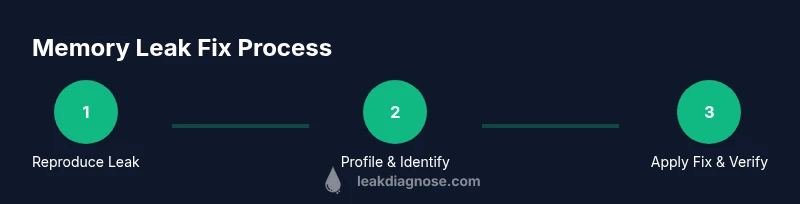
Example A: A Java-based web service experienced gradual heap growth under sustained traffic. By profiling, the team found a cache that grew without bounds due to a missing eviction policy. They introduced a bounded cache and added a reference-tracking test, and memory usage remained stable under load after deployment. Example B: A Python data processor held onto large DataFrame objects due to a lingering reference in a helper module. The team refactored to use context-managed resources and removed global references, which reduced peak memory dramatically during batch runs. Example C: A C++ service leaked file descriptors through a rarely exercised error path. The fix involved proper RAII patterns and ensuring all paths closed descriptors reliably, verified by long-running stress tests. These stories illustrate how a structured approach, precise root-cause analysis, and automated testing lead to durable improvements. The Leak Diagnosis team notes that every environment has unique leakage patterns, but the core approach—reproduce, profile, isolate, fix, verify—remains consistent and effective.
Authority sources and further reading
- Memory management fundamentals and profiling techniques: https://www.nist.gov/
- Profiling and debugging resources: https://www.oswego.edu/
- Memory management best practices (educational): https://www.cs.cmu.edu/
These references provide foundational information to complement the practical steps in this guide. For readers seeking official guidance and standards, turn to government and academic resources that discuss memory management concepts and verification methods.
Lineage note: The guidance in this article aligns with widely accepted development practices and is informed by industry experience.
Tools & Materials
- Integrated Development Environment (IDE) with debugging support(E.g., IntelliJ, Visual Studio, or equivalent for the language in use.)
- Memory profiler tool(Choose a profiler compatible with your runtime (Java: VisualVM/YourKit; C/C++: Valgrind; Python: tracemalloc).)
- Deterministic workload or test harness(To reproduce leaks under controlled conditions.)
- Heap dump or allocation tracing capability(Enable or capture snapshots for comparison.)
- Access to application logs and metrics(Correlate memory growth with events and inputs.)
- Test environment that mirrors production(Do not perform experiments in production.)
- Resource cleanup utilities (close/disconnect helpers)(Ensure code paths release resources reliably.)
Steps
Estimated time: Estimated total time: 4-6 hours
- 1
Reproduce the leak
Set up a controlled environment and run the exact workload that caused the memory growth. Ensure inputs are deterministic so you can validate fixes later.
Tip: Document the exact workload, environment, and duration used to reproduce the leak. - 2
Instrument allocation points
Add instrumentation to track where memory is allocated and when it is freed. This helps you connect growth to specific code paths.
Tip: Keep instrumentation lightweight to avoid perturbing the behavior you’re measuring. - 3
Profile memory usage
Use a memory profiler to capture heap snapshots, allocation counts, and retention paths. Look for objects that grow or survive beyond their intended lifecycle.
Tip: Compare consecutive snapshots to identify patterns, not single data points. - 4
Isolate the leaking path
Narrow down to the module, class, or function responsible for retaining memory. Validate by removing or altering the suspect code and observing the effect.
Tip: Run targeted unit tests around the suspect area to confirm causality. - 5
Implement a precise fix
Choose the smallest, most robust change that releases resources correctly—e.g., closing handles, clearing caches, or adjusting lifecycles.
Tip: Aim for deterministic behavior; avoid broad, sweeping refactors unless necessary. - 6
Verify the fix with the same workload
Run the exact reproduction workflow again and monitor memory. Confirm that the previous growth no longer occurs and stability is achieved.
Tip: Continue monitoring for a period that reflects production usage. - 7
Add regression tests and monitoring
Create tests that exercise the leak scenario and institute monitoring alerts for memory growth trends across deployments.
Tip: Automated tests reduce future regressions and provide ongoing protection. - 8
Document root cause and remediation
Record the leak root cause, fix rationale, and validation results for future maintenance and audits.
Tip: Keep the documentation visible to the team so knowledge is shared.
Questions & Answers
What is a memory leak in software?
A memory leak occurs when a program allocates memory but fails to release it when it’s no longer needed, causing gradual memory growth over time. This can lead to degraded performance or crashes in long-running applications.
A memory leak is when memory is allocated but not released, which can cause slower performance or crashes in long-running apps.
How can I safely reproduce a memory leak in development?
Set up a controlled test environment with deterministic input and workload. Capture memory metrics at regular intervals, and compare snapshots to identify anomalies in allocations and retention paths.
Create a controlled test setup with predictable input and monitor memory to spot growth.
Which tools help detect memory leaks across languages?
Different runtimes offer different tools: Java users can leverage VisualVM or YourKit; C/C++ can use Valgrind; Python users can utilize tracemalloc; many languages provide heap dumps and instrumentation APIs.
There are language-specific tools like VisualVM for Java and Valgrind for C/C++, plus heap monitoring in Python.
Can managed languages have memory leaks?
Yes. Even with garbage collection, leaks occur when references are retained unintentionally or resources aren’t released properly. The fix usually involves removing references, closing resources, or breaking retention cycles.
Managed languages can leak when code accidentally keeps references alive or fails to release resources.
How long does it take to fix a memory leak typically?
The duration varies with complexity and environment. A straightforward leak may be fixed in a few hours, while complex leaks that involve multiple components can take longer and require regression testing.
Time to fix depends on the leak’s complexity, from a few hours to longer with multiple components involved.
Watch Video
Main Points
- Identify root cause with repeatable reproduction
- Profile memory to distinguish growing allocations from normal usage
- Fix should be small, deterministic, and well-tested
- Add regression tests and monitoring to prevent recurrence
- Document root cause and remediation for future maintenance